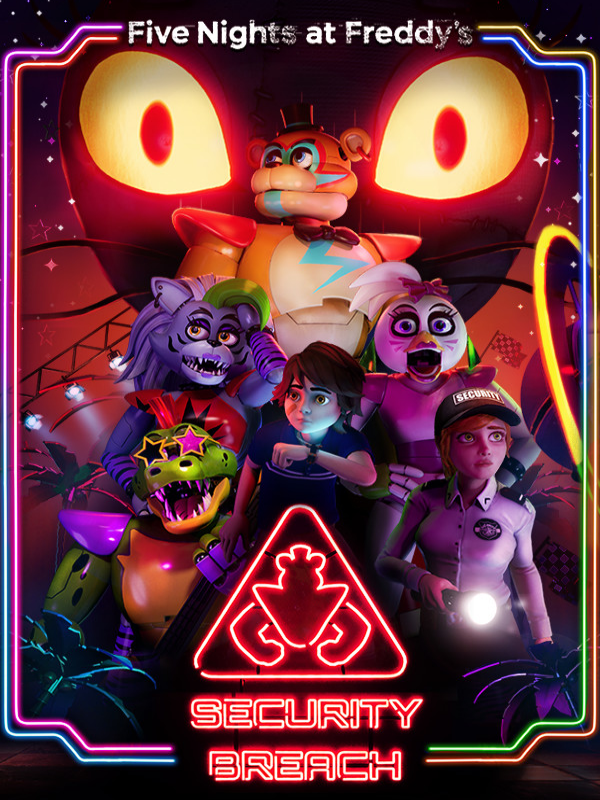



Five Nights at Freddy’s: Security Breach XBOX One / Xbox Series X|S Account
EGP236
100 in stock
Five Nights at Freddy’s: Security Breach is the latest installment of the family-friendly horror games loved by millions of players from all over the globe. Play as Gregory, a young boy trapped overnight in Freddy Fazbear's Mega Pizzaplex. With the help of Freddy Fazbear himself, Gregory must survive the near-unstoppable hunt of reimagined Five Nights at Freddy’s characters, as well as new, horrific threats.
Storyline
The animatronics Roxy, Chica, and Monty have been enlisted by Pizzaplex security to hunt you, and their pursuit is a relentless one. Strategizing how you’ll get past enemies is paramount to avoid those actively pursuing you, as well as more passive S.T.A.F.F. bots that will sound the alarm and call the animatronics to your location if they spot you. In the event you’re detected, run to escape the immediate danger quickly, but running is limited to the amount of stamina you’ve got, so use it wisely. The animatronics also evolve as the night progresses, which means you’ll need to adapt if you want to survive.
Freddy Fazbear himself is your most dependable ally, acting as a guide and protector through the Pizzaplex, giving you shortcuts, insider tips, and warnings about the challenges you’ll face. You can also hop inside Freddy’s oversized birthday-cake-hatch, allowing you to hide and march around undetected. You will need to be thoughtful about how and when you use Freddy because he’s only got so much power and requires frequent stops at recharge stations.
Alternative Title
Fünf Nächte bei Freddy: Sicherheitsverletzung, FNAF: Security Breach, FNaF: SB, FNaF 9, Five Nights at Freddy's 9, Five Nights at Freddy's: Pizzaplex, Five Nights at Freddy's 9: Security Breach
Release date
December 16, 2021
Platform
Genre
Developers
Original Force
PlayStation Studios
Steel Wool Studios
Maximum Games
Scottgames
Pingle Studio Limited
Babaroga
Gizmo
Striker Entertainment
HTC
Nvidia
Tags
Universe
Emails provided with accounts are mostly Temporary , which means you need to change them into your own.
- Use the credentials you received (directly or via an external website) and log into the account.
- Make sure that the content on the account is correct (correct edition of the game, no playtime etc)
- Change the credentials to make the account your own:
- Change the email
- Change the password
- Add 2FA
- The account should be used as a way of accessing the game/content you are interested in. It is not recommended to use it as your main account, as you might have issues with making purchases on it.
Add a review
You must be logged in to post a review
Log In








Reviews
There are no reviews yet